To access the Settings, go to:
- Login » CX » Settings » Settings
What are the options under Settings?
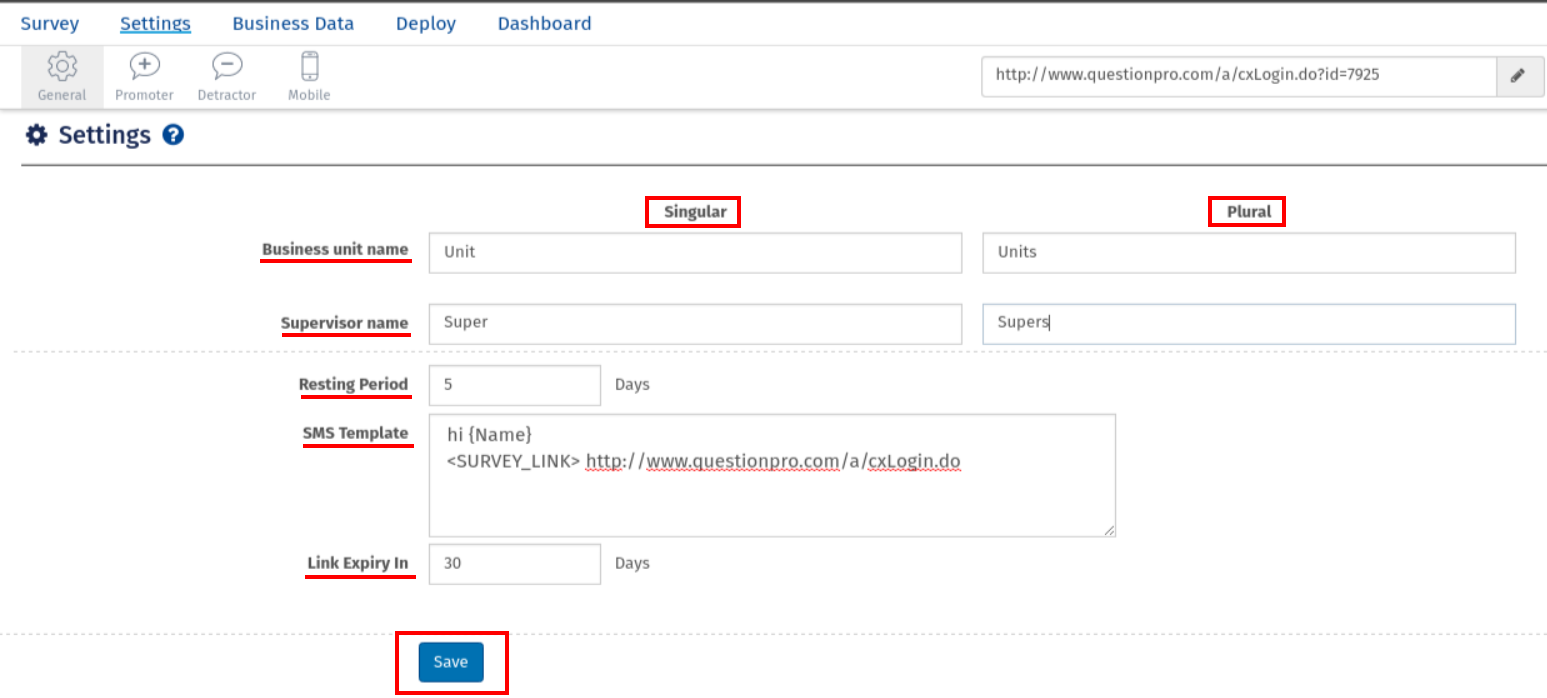
The options under Settings are as follows:
- Business unit name: Enter the business unit name in Singular and Plural.
- Supervisor name: Enter the business unit name in Singular and Plural.
- Resting Period: Enter the resting period in days.
- SMS Template: Mention the SMS template.
- Link Expiry In: Enter the number of days after which you want to disable your survey.
- Scroll to the bottom of the page and click on Save
 Back
Back Print
Print