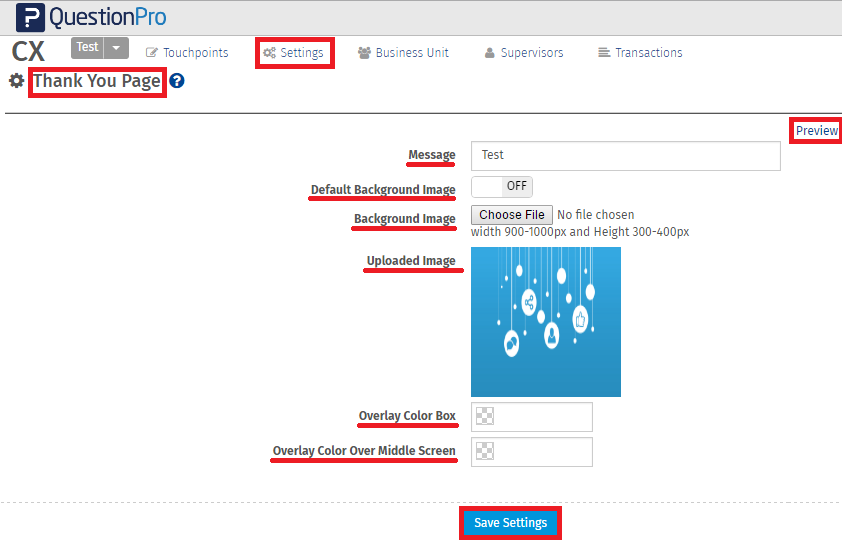
To access the Thank you page, go to:
- Login » CX » Settings » Thank You Page
- Message: Enter message to the displayed here.
- Default Backgound Image: Enable this option if you wish to add default background image.
- Background Image: Choose the backkground image of your choice.
- Uploaded Image: The Uploaded Image will be displayed here.
- Overlay Color Box: Choose the color for overlay.
- Overlay Color Over Middle Screen: Choose the color for Middle screen.
- Preview: Click on Preview to preview the thank you page.
- Save Settings: Click on Save settings.
 Back
Back Print
Print