Communities - Custom Filter - By Member ID

In cases where you have a list of ID's associated for a particular project, you can copy/paste the Community Member ID list to filter members by their ID.

Go to: Communities >> Send >> Send
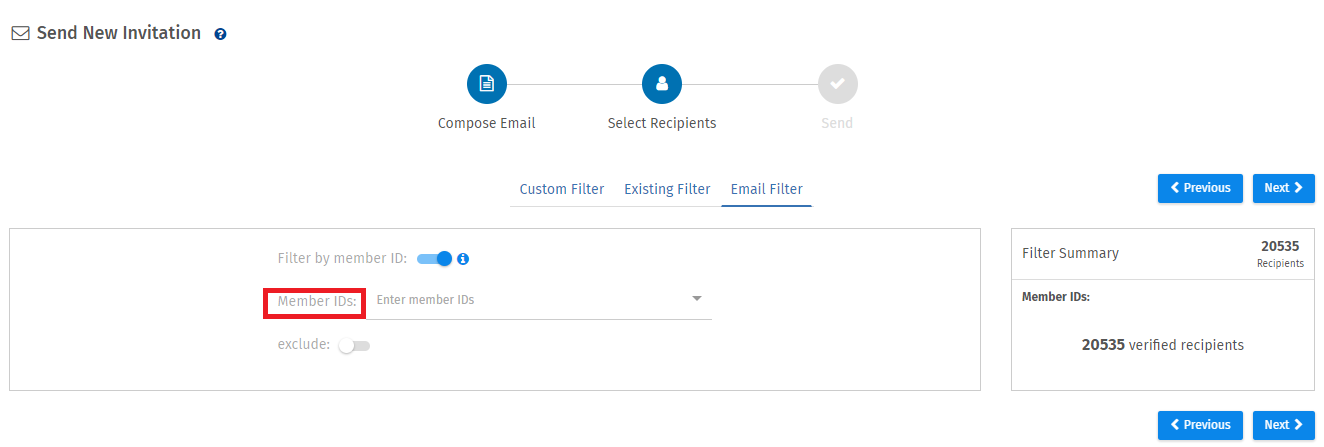
  • Select the survey and invitation on the first screen and click on the Next Step button.
  • In the Select Recipients step, select Member ID tab.
  • Enter the Member ID's and follow the steps for processing delivery.
  • Project will be sent out only to the selected community members, by member ID.
Survey Software Help Image

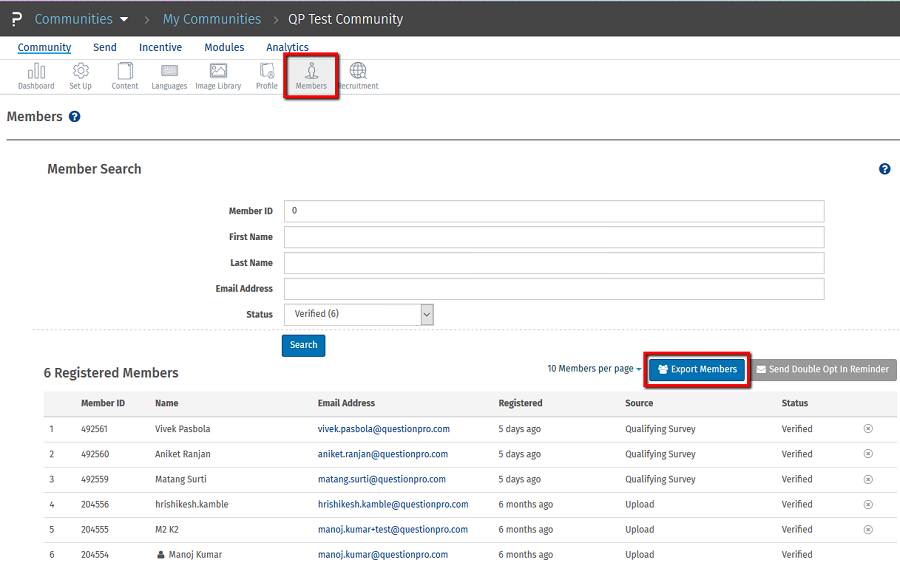
How do I find out the Community Member ID?

Go To: Community >> Members

Survey Software Help Image
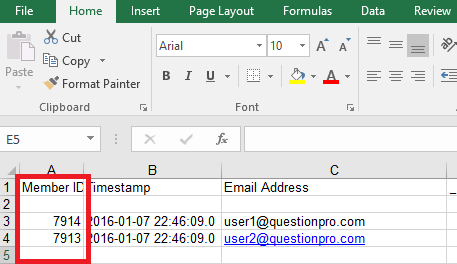
The first column in the downloaded file is for Community Member ID.
Survey Software Help Image

License

To get the pricing, please email us at [email protected]

For more details on QuestionPro Communities, click here